
★★★★★
Sieora's system has given us real peace of mind. Their team understood our safety needs and delivered a solution we can genuinely rely on.
Head of Safety OperationsNippon Paint India
Sieora's on-premise VMS software installs entirely on servers inside your own facility — every camera feed, AI insight and audit log stays within your network perimeter. Nothing is routed to a third-party cloud. For Indian enterprises in BFSI, government, defence and healthcare, this on-premise video management system isn't a preference, it's a regulatory requirement under the DPDP Act 2023. Air-gap capable, ONVIF-compatible with any camera brand, perpetual licence — and zero recurring cloud fees, in India and worldwide.
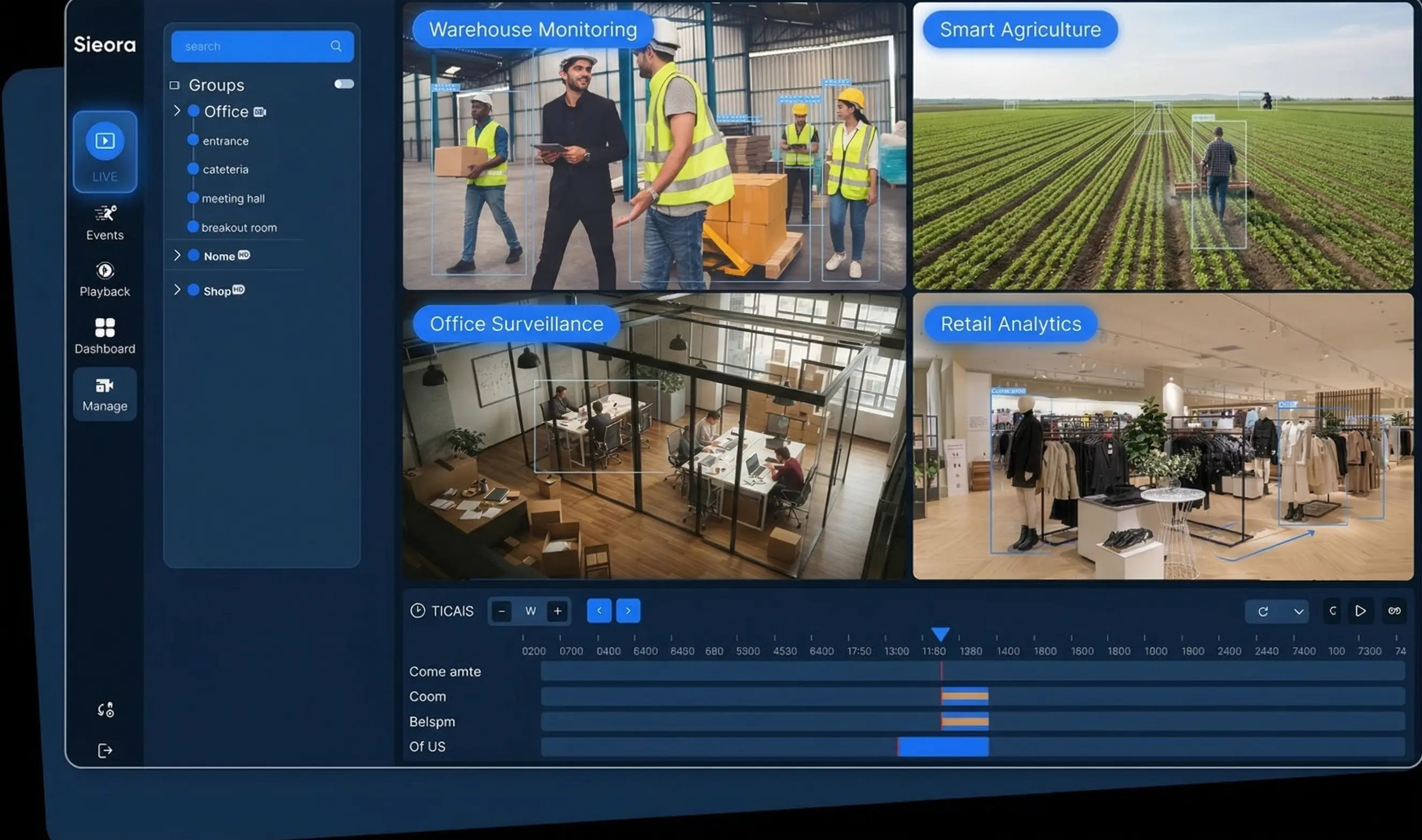 ON-PREM · SECURED
ZERO CLOUD ROUTING
ON-PREM · SECURED
ZERO CLOUD ROUTING
Enterprises, manufacturers and fast-growing startups build with Sieora.


























Cloud surveillance means your camera feeds live on someone else's servers, in someone else's jurisdiction — billed to you every month, forever.
Footage of your staff, patients or customers routed to third-party data centres — a hard problem under DPDP data localisation.
Per-camera monthly charges compound with every camera you add. Grow the estate, grow the bill — permanently.
Internet down, vendor outage, or a contract dispute — and you lose access to your own security footage.
Three different answers to "where does my footage live?" — and they're not equivalent.
Cloud VMS has its place — if you want it, we offer that too. This page is for the buyers who can't let footage leave the building. See the full VMS platform →
Full enterprise VMS functionality, with nothing depending on an outside connection. Every feature below works in an air-gapped environment.
Operate your entire surveillance network from one unified dashboard — every site, every camera, served from your own servers rather than a cloud tenant.
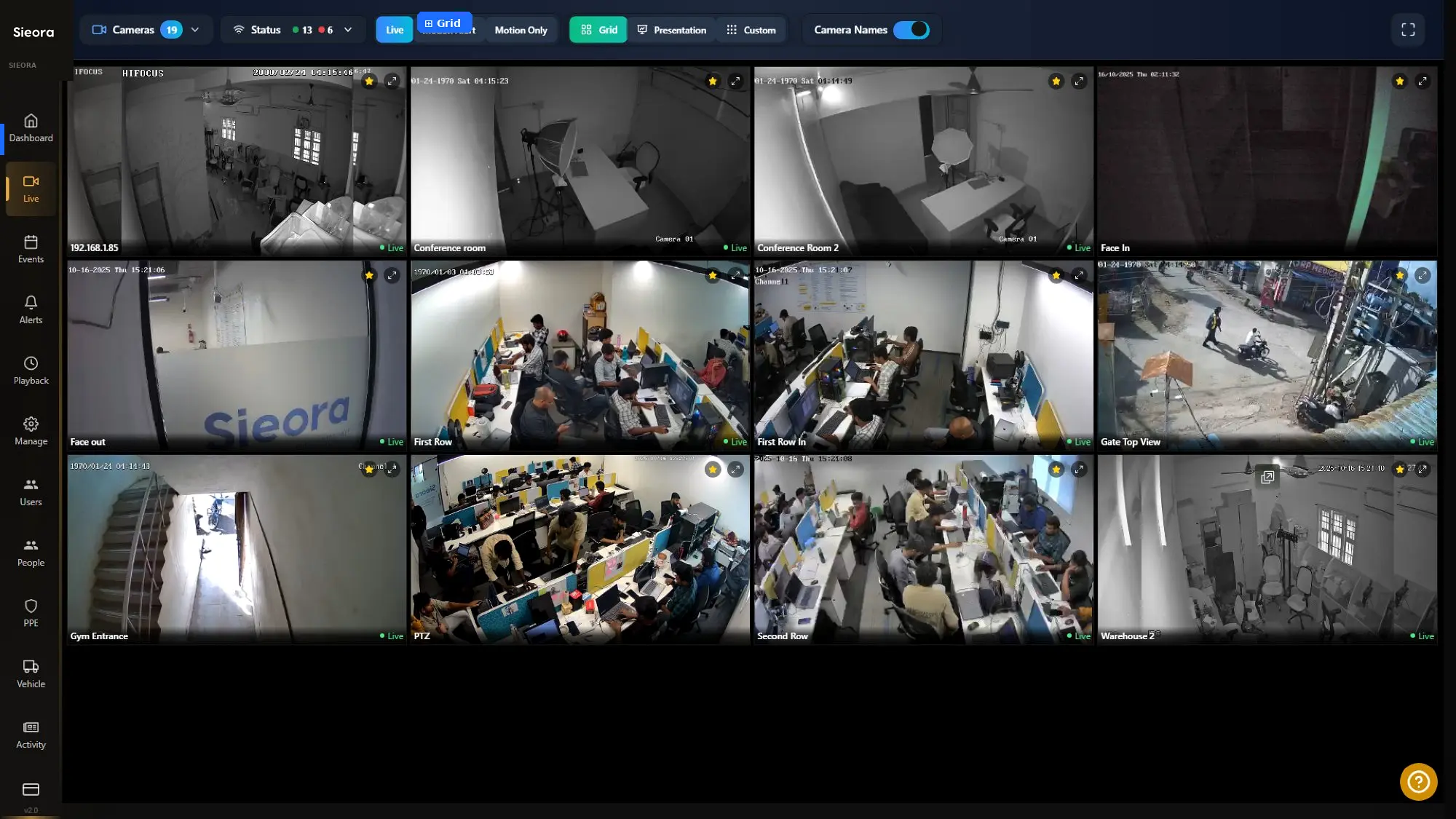 LIVE · LOCAL
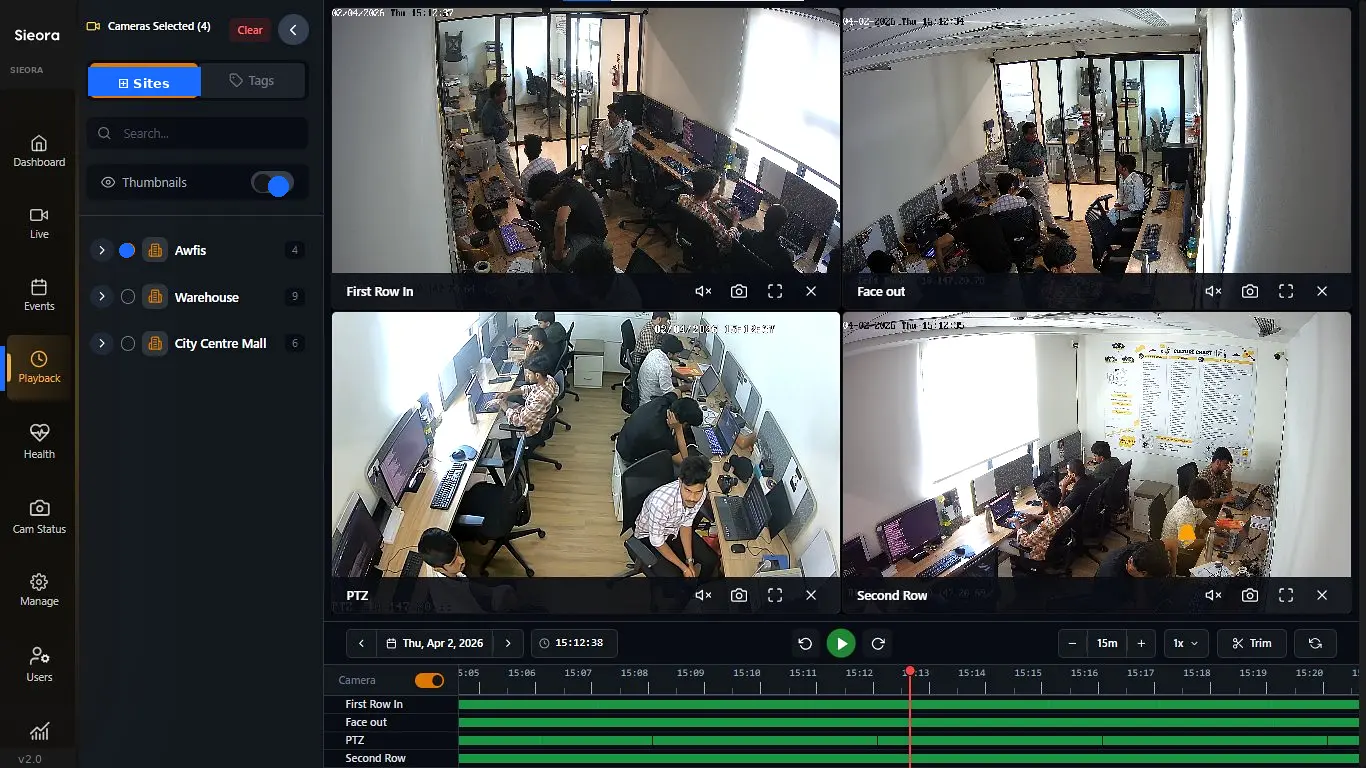 RETENTION · YOURS
Continuous, motion, schedule and AI-event recording, with per-camera retention and auto-deletion. Synchronised multi-camera playback for investigations, and smart SSD-to-HDD tiering across RAID 5/6/10 with NAS, SAN or DAS support.
Your disks, your retention policy, your jurisdiction — no footage in anyone else's data centre.
Full recording & storage specs on the video management software page →
Every AI module runs locally on your NVIDIA hardware. No video frame is ever transmitted externally — which is why this works in fully air-gapped environments with no internet connection at all, as defence-adjacent, government and many BFSI deployments require.
Detection zones, sensitivity and alert logic are fully adjustable per camera, with alerts over email, SMS, WhatsApp or webhook — all originating inside your network.
See the full module library on AI video analytics →
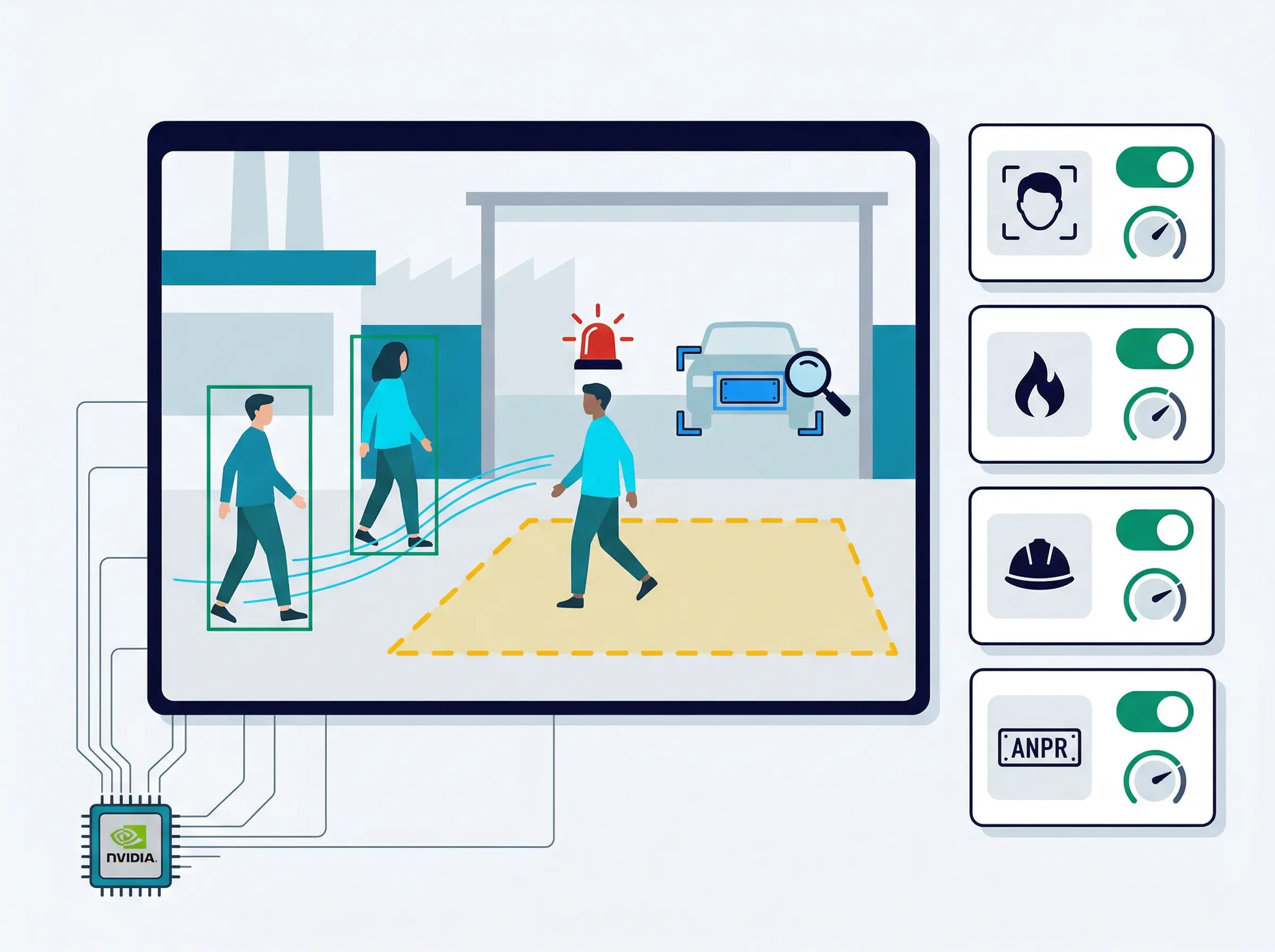 LOCAL GPU · AIR-GAPPED
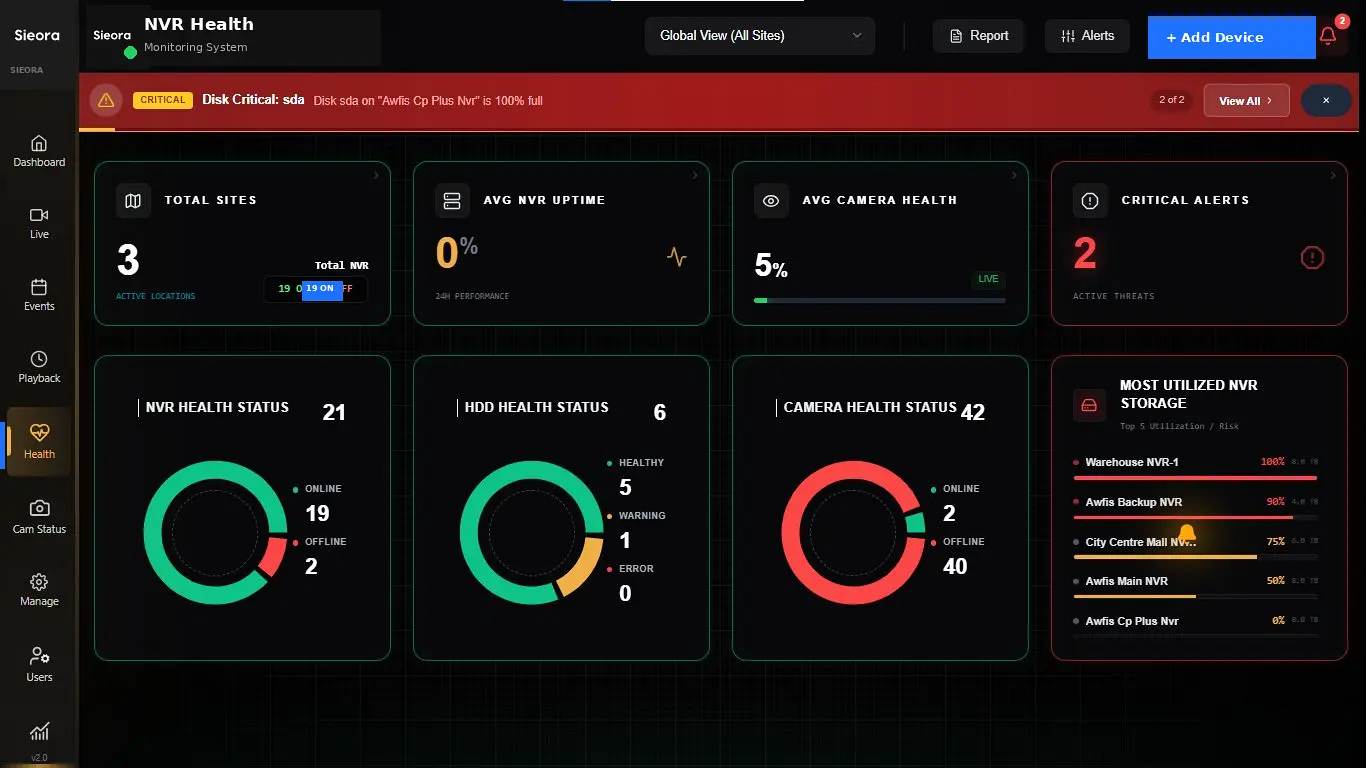 CAM 14 · OFFLINE
The worst moment in security is discovering, after an incident, that the camera wasn't recording. Sieora checks every camera, NVR and disk continuously and alerts you the moment a feed drops.
Disconnection and obstruction alerts, NVR failure detection with recording-gap identification, HDD failure prediction and tamper alerts — so you find out before the footage you need turns out not to exist.
Granular, provable control over who can see what — the part regulated buyers are actually audited on. Role-based access with per-camera permissions and multi-factor authentication, tied into your existing Active Directory or LDAP for single sign-on.
AES-256 encryption at rest, TLS 1.3 in transit, and an immutable tamper-evident audit trail of every view, search and export — so an RBI or medico-legal audit request is answered with a log, not a shrug.
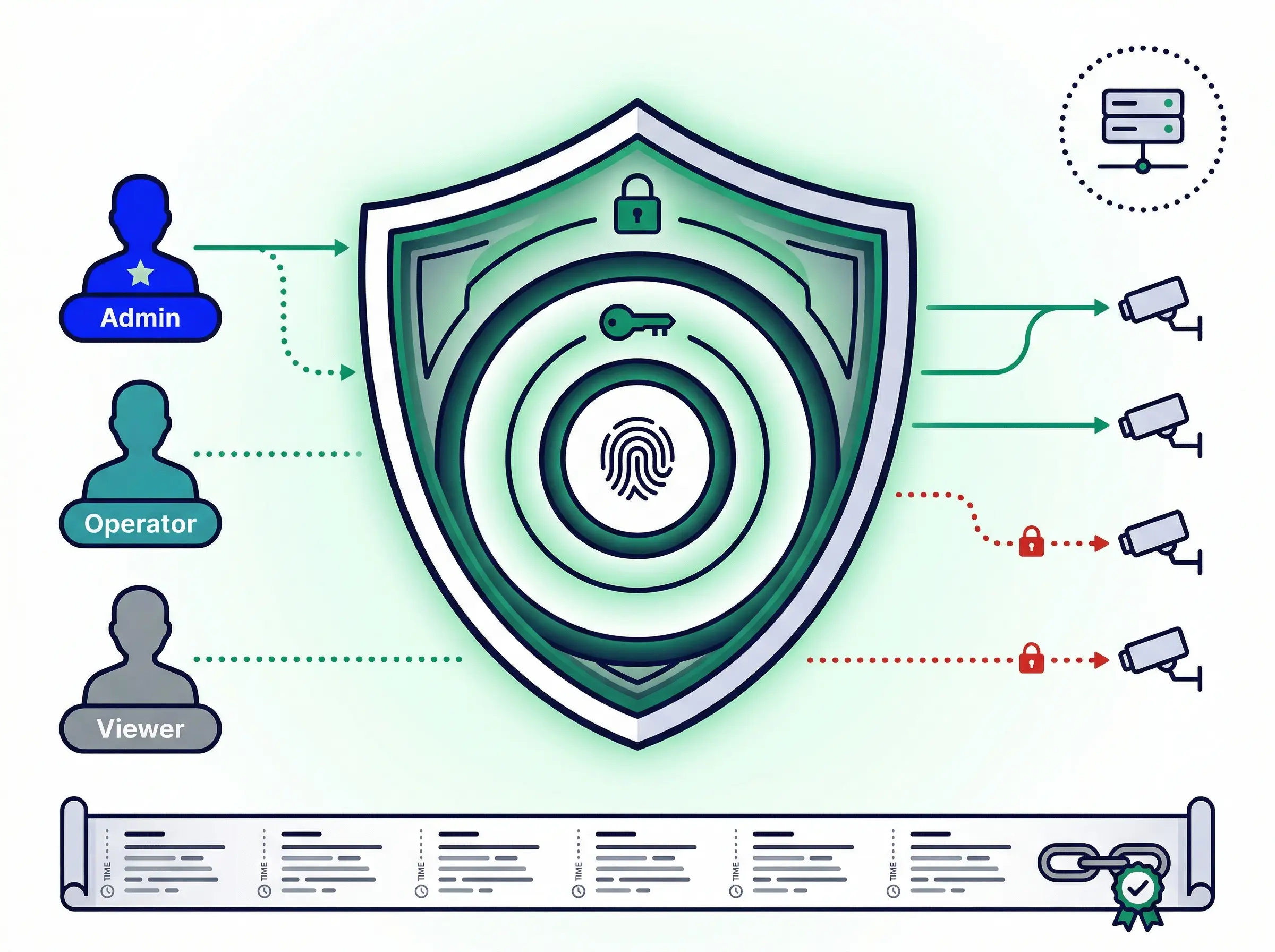 RBAC · MFA · AUDIT
Sieora connects to your existing IP cameras, NVRs and DVRs over RTSP/ONVIF — Hikvision, CP Plus, Dahua, Axis, Bosch or any ONVIF device, in any mix, across any number of sites. Keep your cameras, keep your capex. ONVIF auto-discovery connects them within hours.
No. Sieora works alongside your existing NVRs and DVRs rather than replacing them — 5,000+ camera models supported via ONVIF. If it streams RTSP, we can run on it.
On-premise deployment categorically satisfies data localisation — your footage stays on your servers, under Indian jurisdiction. Penalties under the Act reach up to ₹250 crore per violation, so this is worth getting right.
All footage on your servers. Zero cross-border transfer, by design rather than by policy.
Per-camera retention policies with configurable auto-deletion and a full deletion log.
AES-256 at rest and TLS 1.3 in transit, across every feed and every export.
Tamper-evident logs of every access, view and export — the evidence an auditor asks for.
Per-camera purpose tagging enforced through access control, not just documentation.
Real-time alerting to support the Act's 72-hour breach-notification obligation.
Deployed across Chennai, Mumbai, Delhi, Bengaluru, Hyderabad, Pune and beyond.
RBI audit-ready surveillance with data localisation, immutable logs and a multi-branch view.
Safe-City deployments with defence-grade air-gap and MeitY-aligned architecture.
Patient footage never leaves hospital servers. Clinical RBAC and medico-legal export.
Network-isolated VMS with PPE analytics and SCADA/ERP integration. No internet required.
Multi-campus from a single server — student data on-premise, no subscription growing with enrolment.
Hub-and-spoke architecture with shrinkage analytics — and no cloud bill that scales with store count.
Works with your existing cameras. No hardware replacement. Our engineers handle it.
We assess your existing cameras, network and storage — Hikvision, Dahua, CP Plus, Bosch, Axis or any ONVIF device.
Installed on your servers — bare metal, VMware, Hyper-V or KVM. ONVIF auto-discovery connects cameras within hours.
AI analytics, camera health monitoring and DPDP-compliant reporting — all running on your infrastructure.
Standard single-site installs complete in about two days. Multi-site rollouts usually take one to two weeks.
On-premise is a deployment choice, not a cut-down product. These are the platform pieces it runs — explore each in depth.
Live monitoring, recording & playback, retention, storage tiering, camera layouts, PTZ, mobile app.
Multi-site console, video wall, live AI alerts, incident workflow, camera & NVR health monitoring.
PPE, fire & smoke, ANPR, intrusion, crowd, people counting, face recognition and more — all local.
Every AI module runs on your own GPU hardware. Detection zones, sensitivity and alert logic are fully adjustable per camera — and no frame is ever sent outside your network.
No monthly subscription. No per-camera cloud charges. Ever.
On-premise VMS software from Sieora is a perpetual licence, quoted on camera count, site count, AI modules and hardware — not a subscription that grows every time you add a camera. Cloud VMS bills you per camera, per month, forever; on-premise pays for itself as the estate grows:
Send us your camera and site count and we'll size a quote — and show you the crossover point against a cloud subscription.
What clients say after working with our team.
Sieora's system has given us real peace of mind. Their team understood our safety needs and delivered a solution we can genuinely rely on.
Sieora's technology has become a dependable part of our operations. The team was professional, understood our requirements, and delivered quality.
A capable, professional team that delivered exactly what our quality processes needed. Sieora made the whole engagement smooth and reliable.
Sieora delivered a robust, well-engineered solution and supported us throughout. A reliable technology partner we trust.
The team understood our security and monitoring needs precisely and delivered a system that works reliably day in, day out.
See the platform running, on your own cameras, on your own servers. We'll assess your infrastructure, size the deployment and show you exactly what stays inside your perimeter.
Direct answers to what Indian enterprise buyers ask most.