
★★★★★
Sieora's system has given us real peace of mind. Their team understood our safety needs and delivered a solution we can genuinely rely on.
Head of Safety OperationsNippon Paint India
Sieora's mobile phone detection software connects to the CCTV you already own and automatically spots when someone uses a phone in a no-phone zone — texting, browsing or phone-to-ear — then alerts a supervisor in real time. This is cell phone detection built for workplace safety and compliance: mobile phone usage detection that recognises the behaviour, not the person, and reads that a phone is in use — never what's on the screen. Built first for workplaces and restricted areas — and equally for exam halls and roads — it enforces no-phone zones across India and worldwide — visual detection, not a signal jammer.
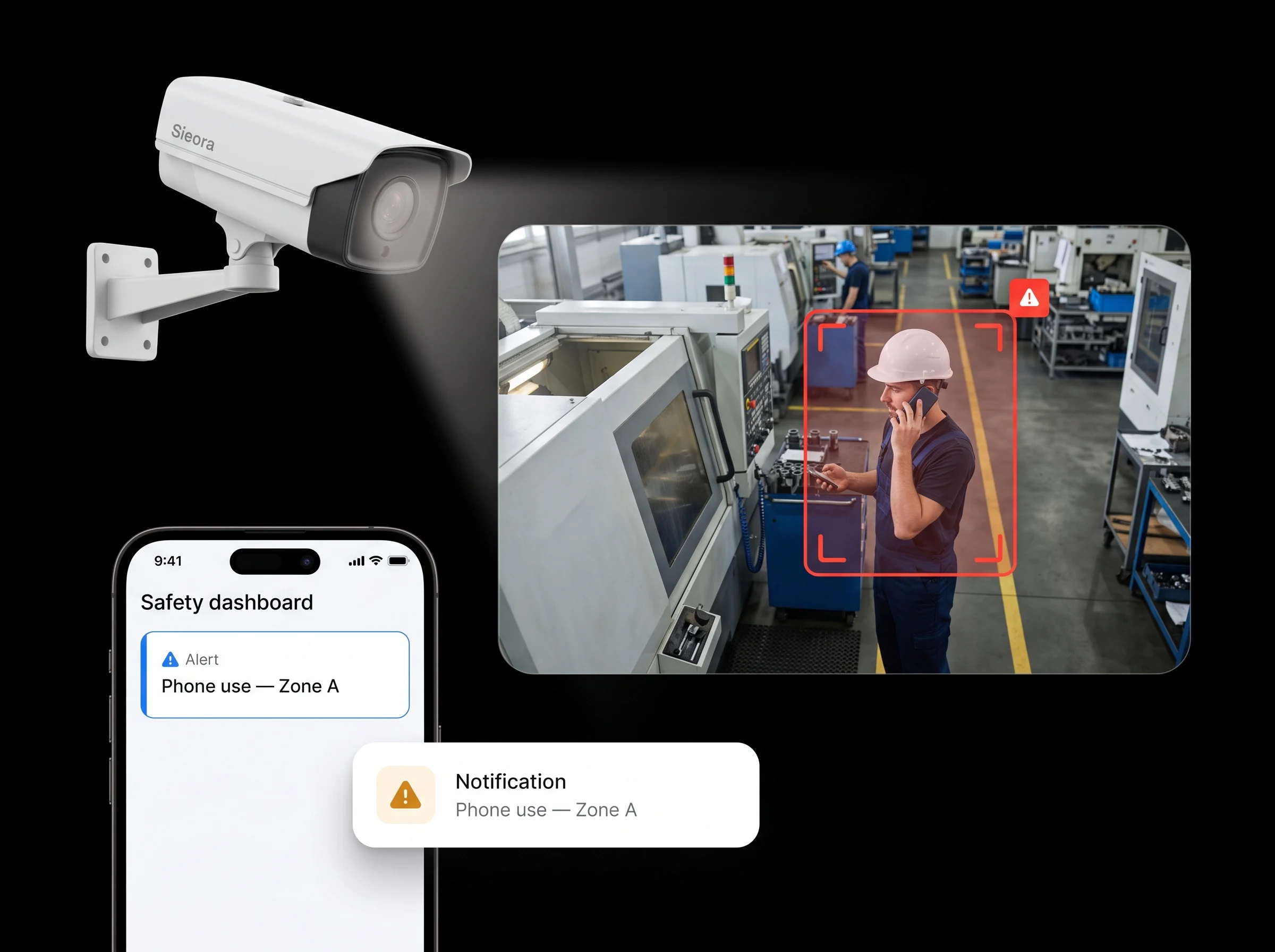 PHONE USE ✗ ZONE A
ALERT · SUPERVISOR
PHONE USE ✗ ZONE A
ALERT · SUPERVISOR
Enterprises, manufacturers and fast-growing startups build with Sieora.



























You've banned phones near the machinery, in the exam hall, in the secure zone. But a sign on the wall doesn't stop anyone — and a supervisor can't watch every person every minute.
Spot-checks and roving supervisors see only a sliver of what actually happens across a floor or hall.
A worker glancing at a phone near a forklift, press or conveyor is a serious-injury risk in a split second.
Posted rules without enforcement are ignored — and you have no record when something goes wrong.
This is the first question every buyer and every employee asks — so here's the straight answer.
The design principle: object and behaviour detection without reading content or identity. Detecting a phone in use is the same category of output as detecting a fall — it doesn't need to know who you are.
Because it flags an action rather than matching a face, it stays clear of biometric-identification territory — the part of surveillance that draws the most regulatory concern.
Run it openly, tell your team what it does, keep it anonymous where possible — a proportionate, DPDPA-aligned way to enforce a legitimate safety policy.
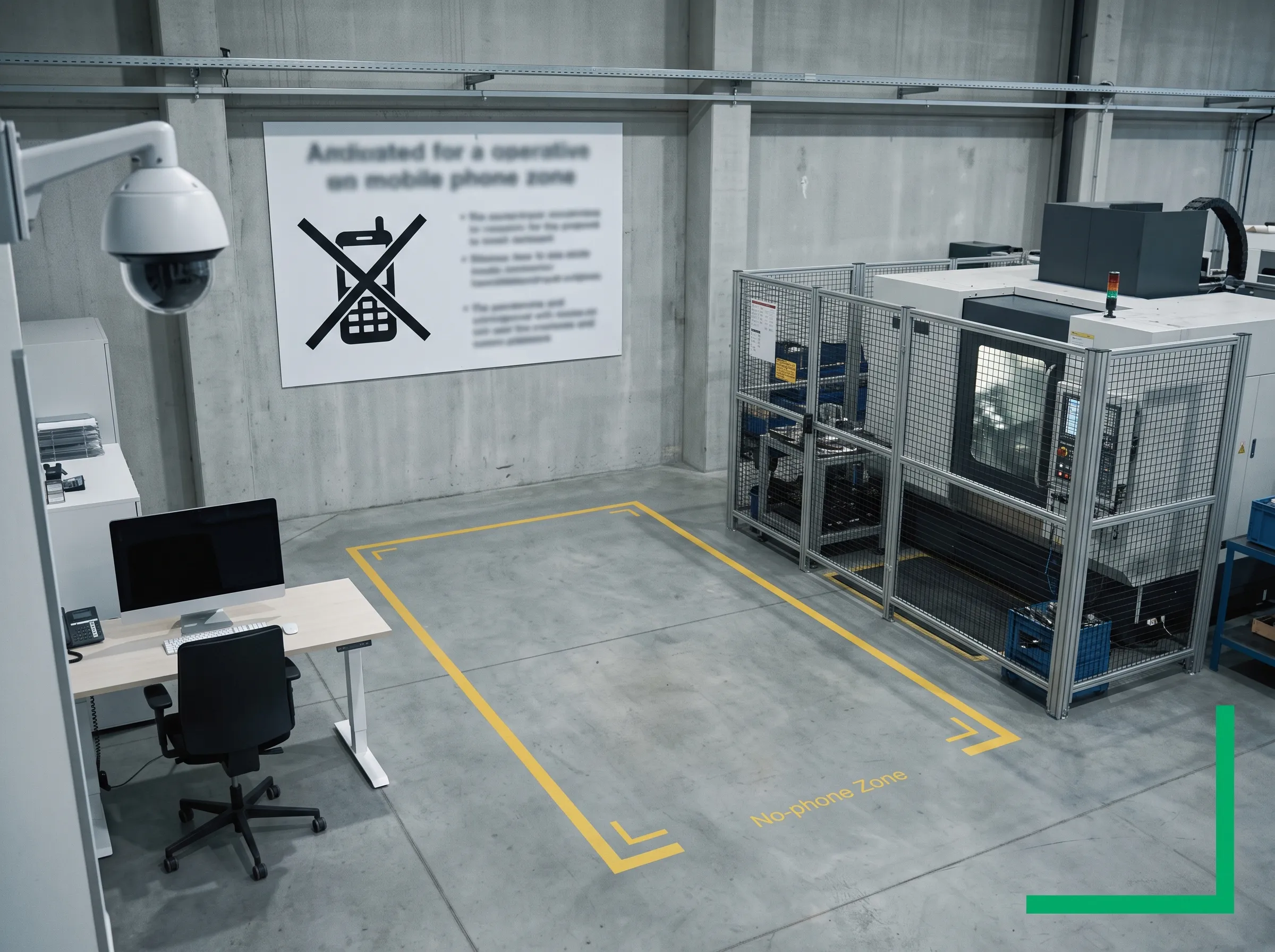 VISUAL · NO RF
Signal jammers are illegal in India, and they knock out every phone in range — including the ones you need in an emergency. Sieora is purely visual: cameras and AI see phone use and alert staff, with no radio interference and no disruption to communication.
You get enforcement without breaking the law or cutting off legitimate calls — a documented, camera-based alternative to jamming.
Phone-use behaviours, zone by zone — so permitted areas stay silent and only prohibited zones raise an alert.
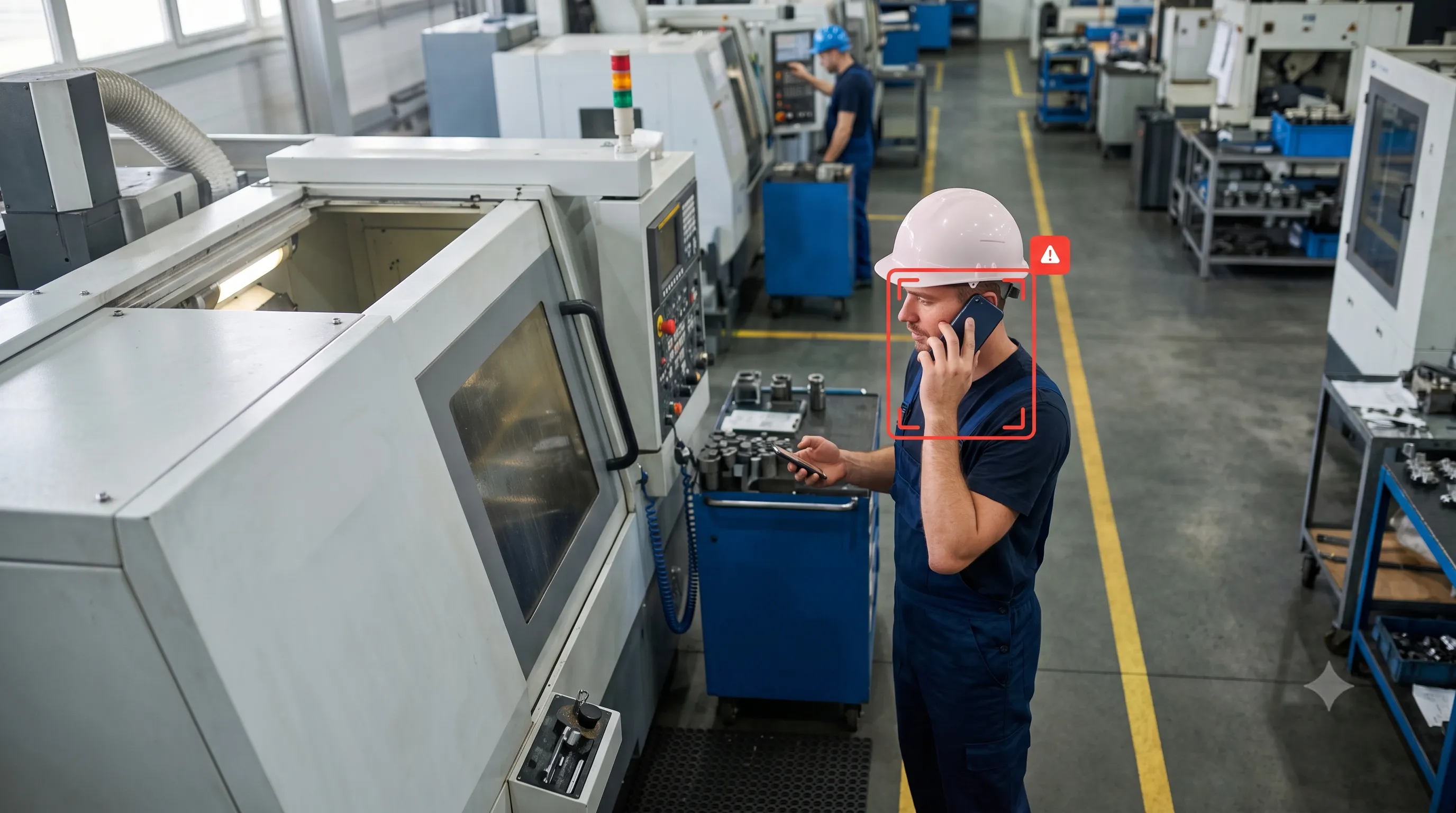 PHONE-TO-EAR ✗
Detects a phone held to the ear or a call in progress in a zone where phones aren't allowed.
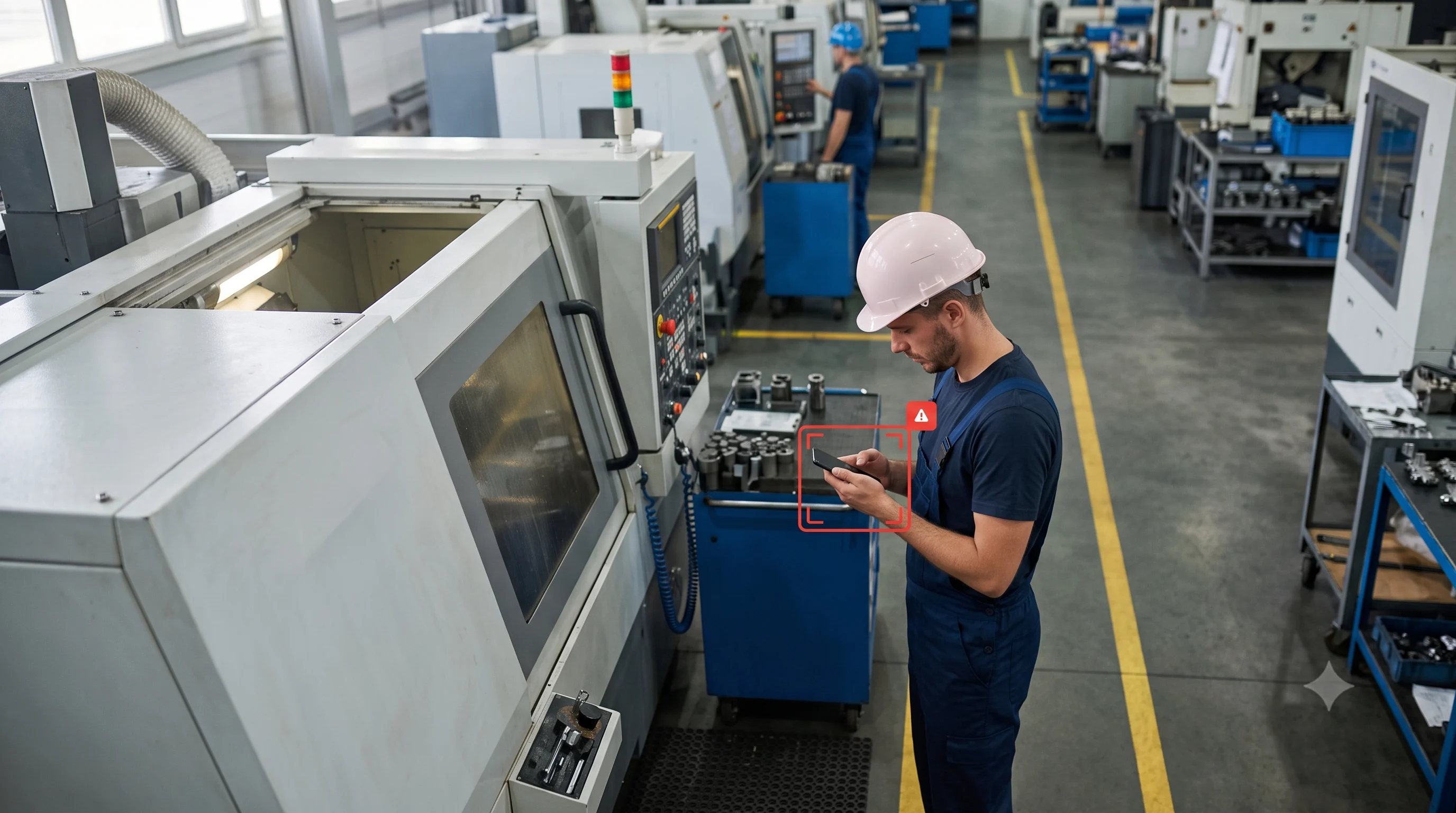 TEXTING ✗
Flags heads-down texting or browsing — the distraction that causes incidents near machinery.
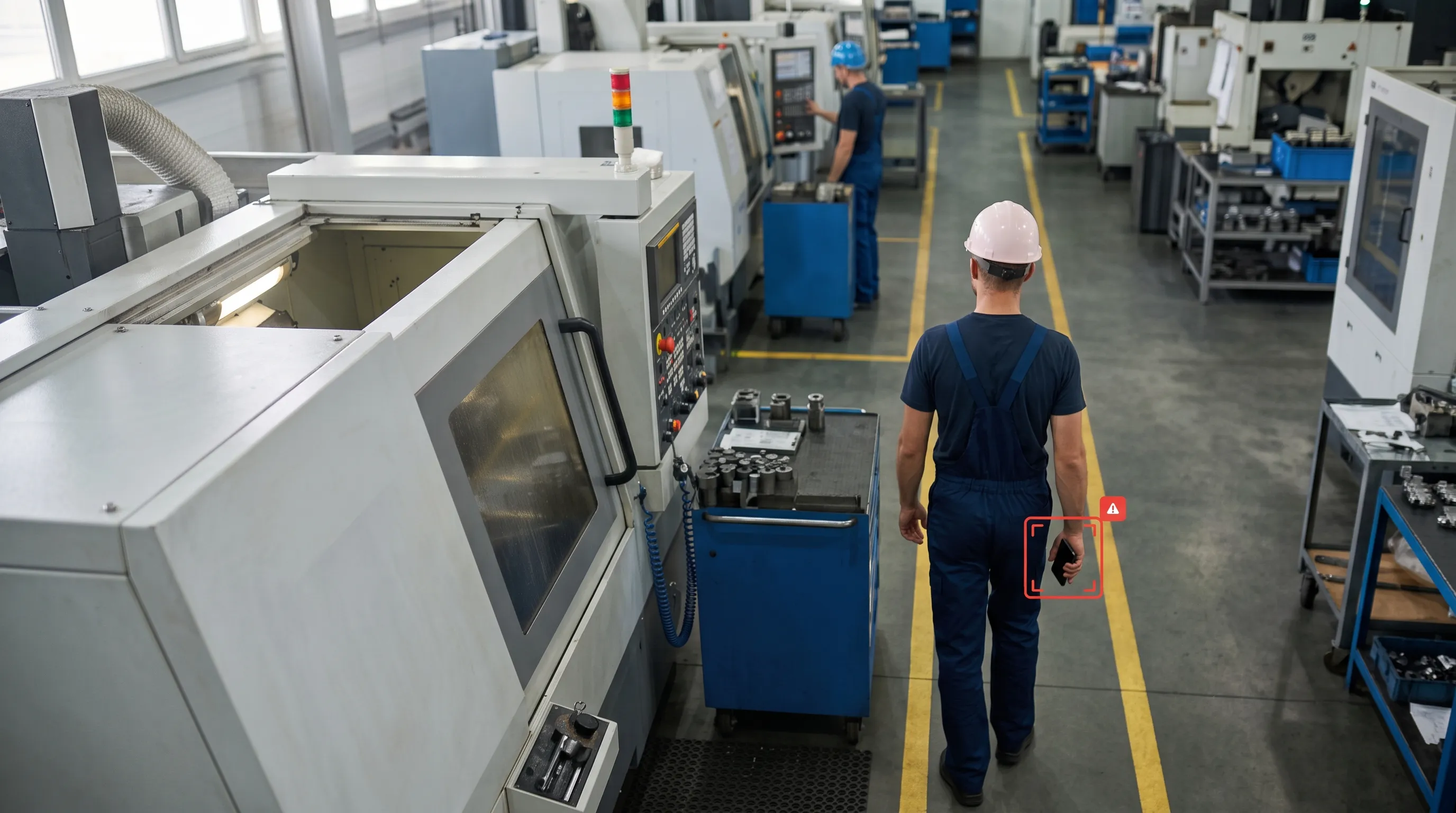 PHONE IN ZONE ✗
Detects a phone in hand within a prohibited area, even before it's raised to use.
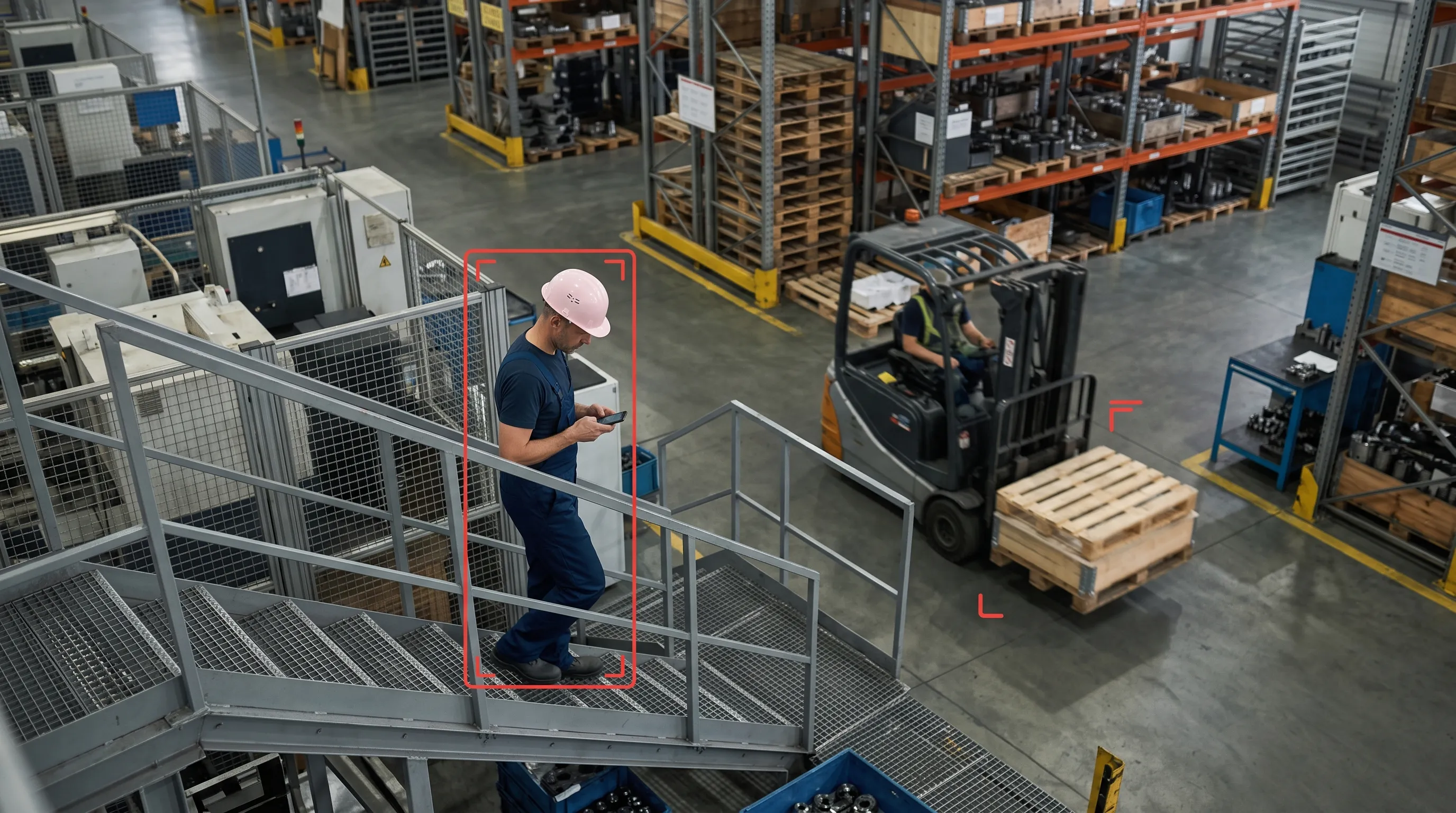 DISTRACTED ✗
Spots walking-while-phoning on stairs, walkways and blind corners where collisions happen.
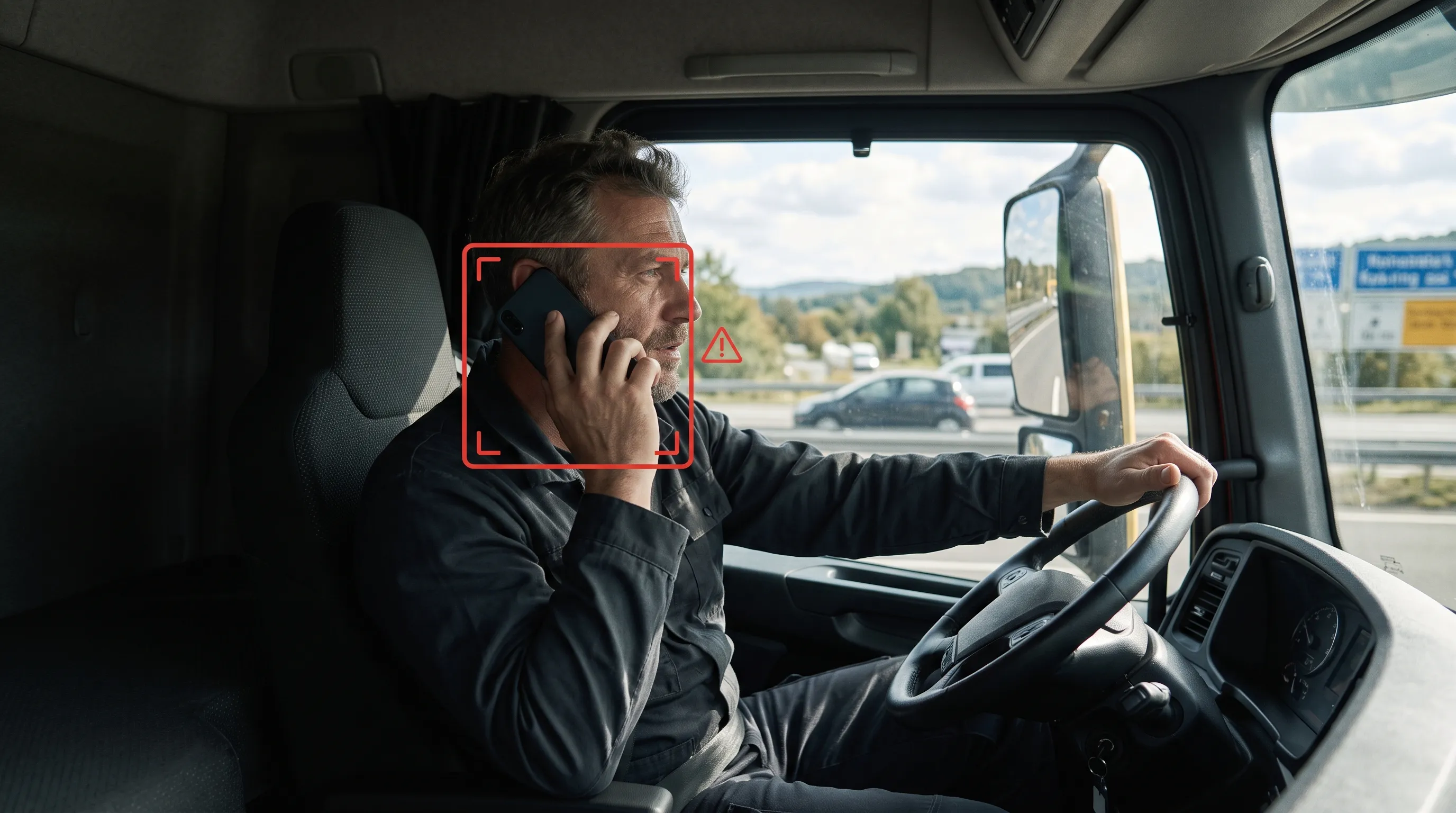 DRIVER PHONE ✗
On road or in-cab cameras, flags drivers using a phone for fleet and road-safety teams.
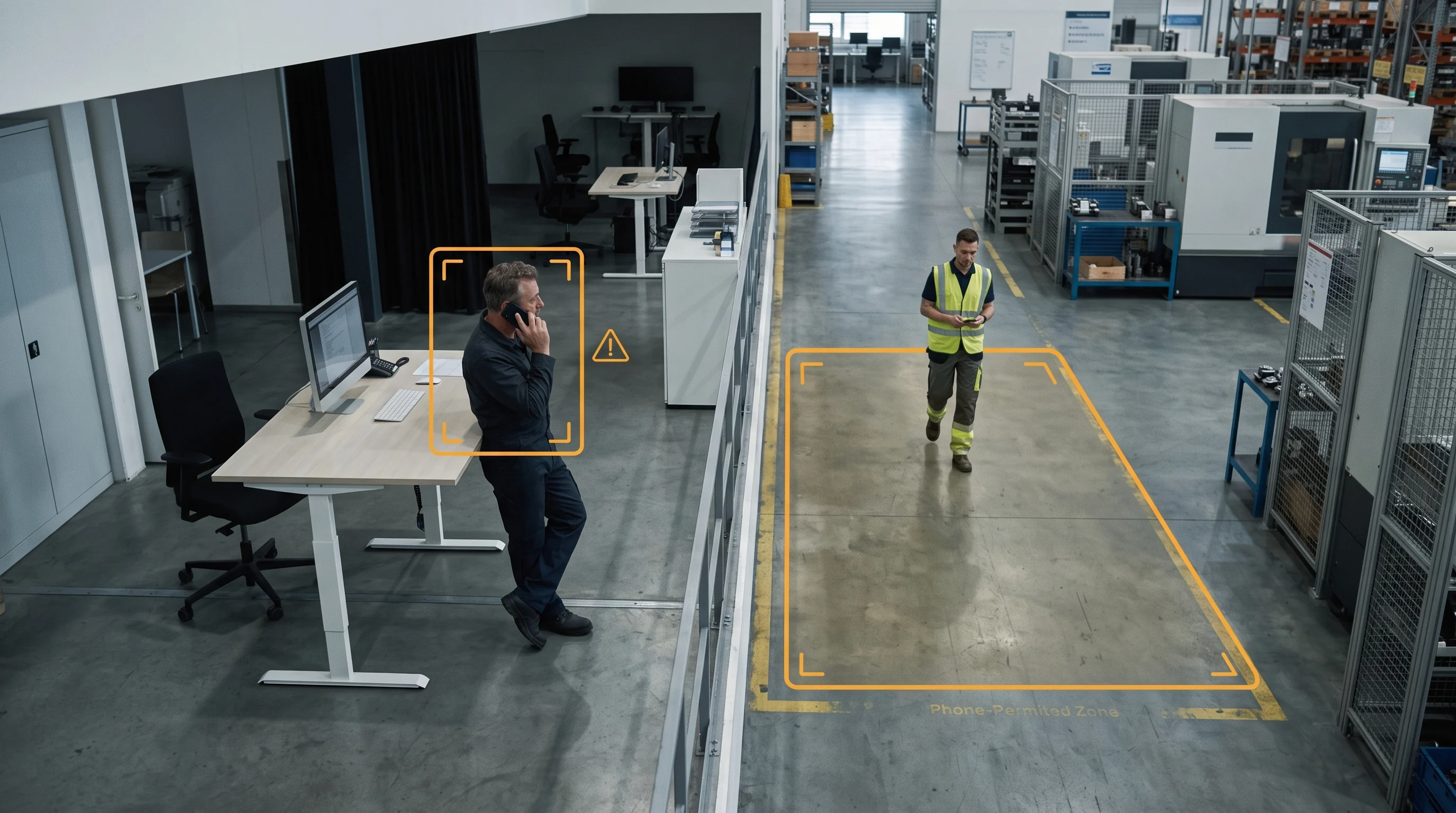 + CUSTOM
Need a specific zone, shift rule or scenario — cameras only in some areas, time-based rules? We tune it to your site.
Permitted areas stay silent, prohibited zones alert, and rules can vary by shift or time. If a camera can see the zone, we can enforce the policy — tuned to your floor plan.
Request Custom Rules →On factory floors, warehouses, oil & gas sites and construction zones, phone use detection in the workplace catches the distraction that causes serious injuries — a glance at a phone near a forklift, press or conveyor — and alerts the supervisor before it becomes an incident.
It's the same existing cameras and the same EHS buyer as PPE compliance, so many sites run both together.
Run it alongside PPE detection on the same cameras.
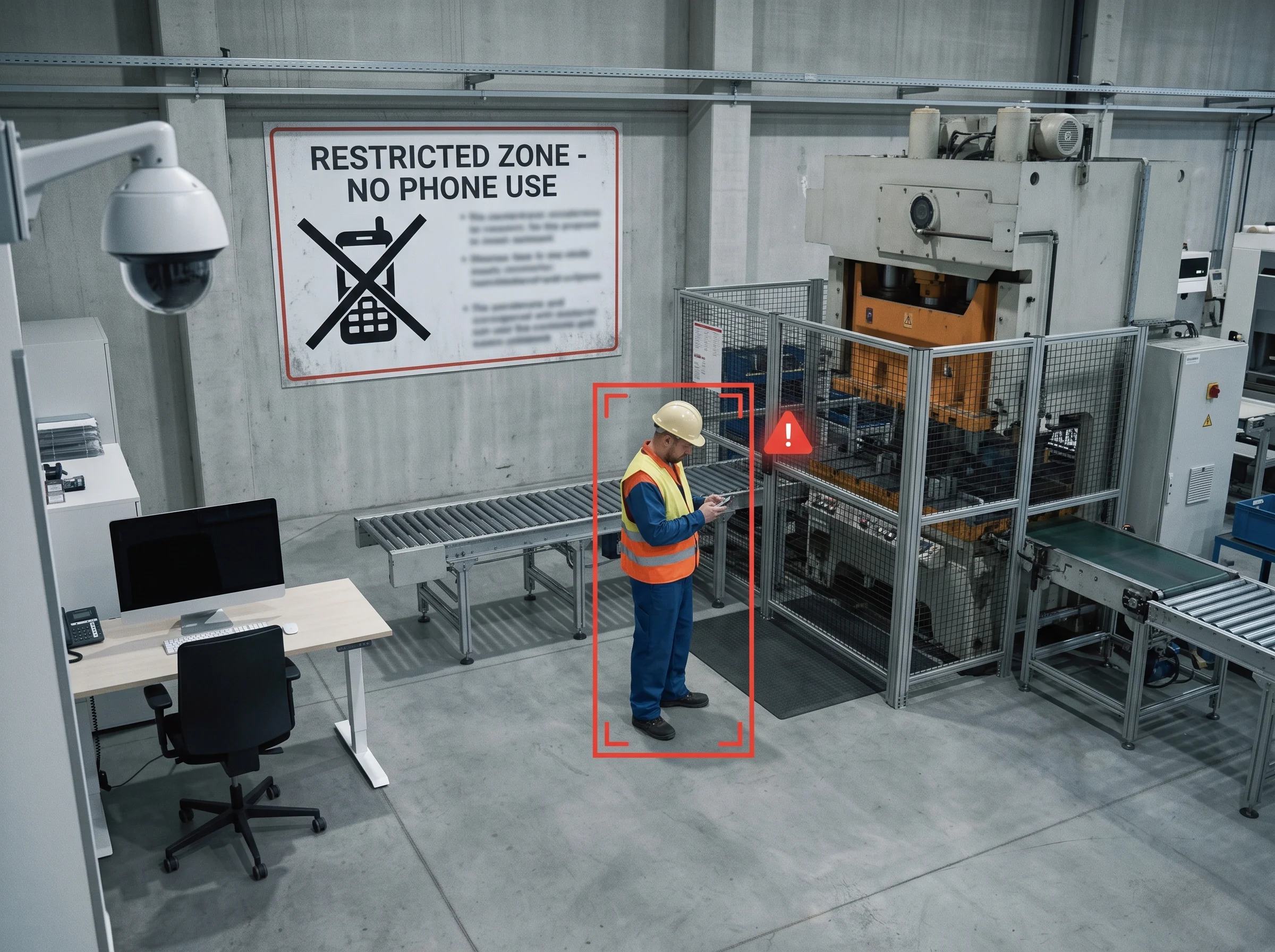 PHONE ✗ NEAR MACHINE
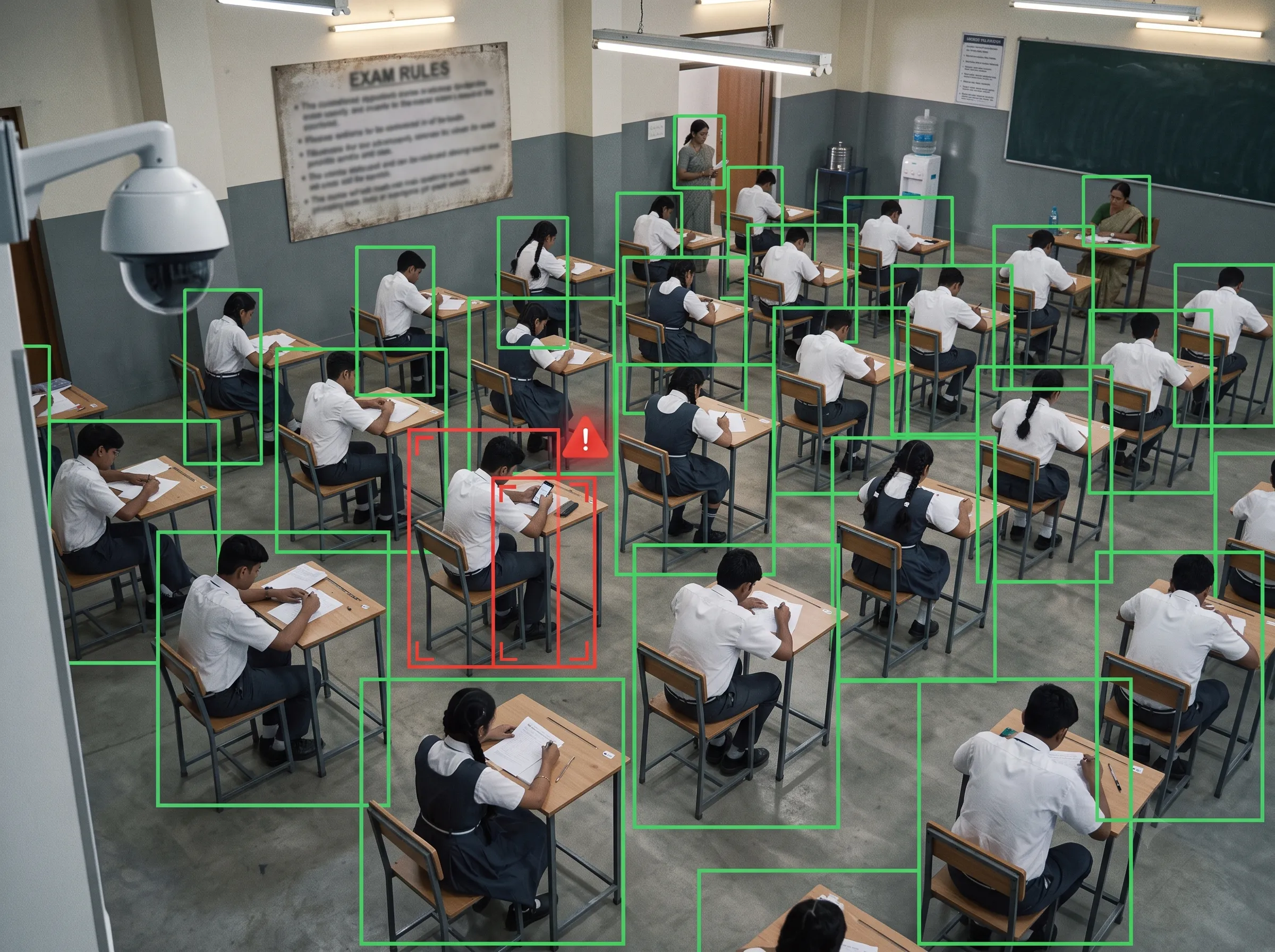 PHONE ✗ EXAM HALL
In exam halls, testing centres and classrooms, mobile phone detection in the exam hall flags a phone brought out during a test on the room's existing cameras — giving invigilators a real-time, timestamped signal without watching every seat.
Fixed overhead cameras with clear sightlines of seated candidates are exactly where this works best.
On road-side and in-cab cameras, driver mobile phone use detection flags a driver holding or using a phone — for traffic-enforcement teams, fleet operators and logistics safety programmes wanting to cut distracted-driving risk.
It pairs naturally with your traffic and city-camera deployments.
Deploying on city roads? See smart city analytics and ANPR.
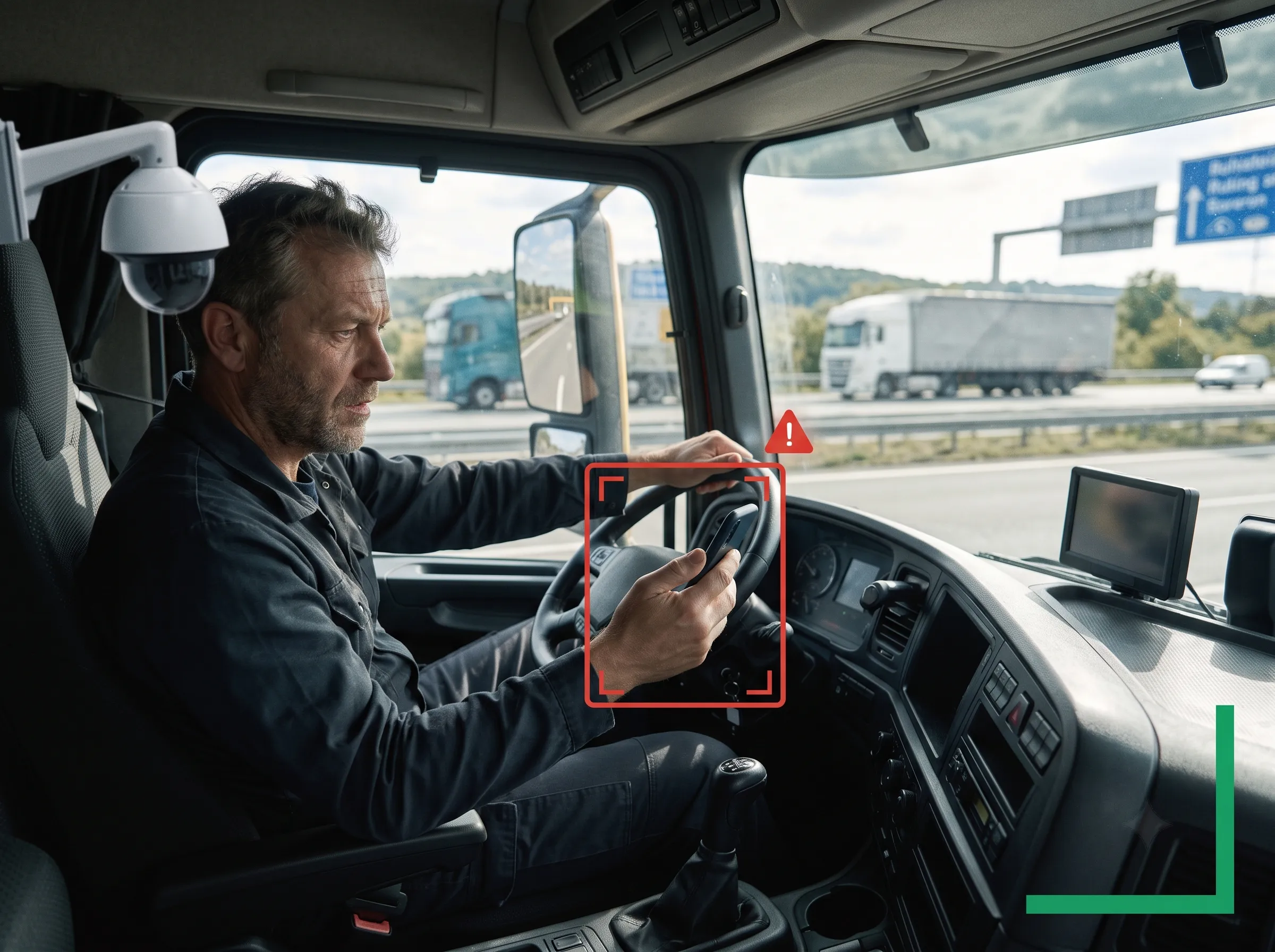 DRIVER PHONE ✗
You decide where phones are banned; Sieora enforces it and keeps the record.
Draw permitted and prohibited zones per camera; only the banned zones raise alerts, with rules that can vary by shift or time.
Push a real-time alert to supervisor, PA speaker, on-screen display, SMS, WhatsApp or Teams the moment a violation occurs.
Every violation is logged with camera, zone, time and a clip — audit-ready evidence for safety reviews and policy compliance.
See violations by zone, shift and time to find hotspots and target training where it's actually needed.
Sieora runs on the IP and CCTV cameras, NVRs and VMS you already have over RTSP/ONVIF — no proprietary hardware. Clear sightlines of the no-phone zone matter more than the camera brand.
No — any ONVIF camera with a clear view of the zone works. Overhead or angled views that see hands and faces give the best accuracy; we confirm placement in a quick site check.
From a live camera feed to a logged, alerted violation — without reading a single screen.
Securely ingests streams from your existing cameras over the zones you want to protect.
AI detects the phone object and the action — texting, talking, phone-in-hand — not the screen.
Compares against your permitted/prohibited zones and shift rules to decide if it's a violation.
Raises an instant alert and records a timestamped, zone-stamped event with a clip for the audit trail.
We'd rather set the right expectation than over-promise:
In no-phone zones with a clear camera view — exam rooms, production lines, entries — accuracy is high.
A phone fully hidden under a desk or clothing is hard for any camera to see — it's not X-ray.
It's a deterrent and enforcement-assist layer that gives staff a documented signal — not an omniscient catcher.
Used where it's strong — clear sightlines, real policy stakes, staff acting on alerts — it changes behaviour and gives you an audit trail. Sold as catching every concealed phone, any system disappoints. We position it honestly.
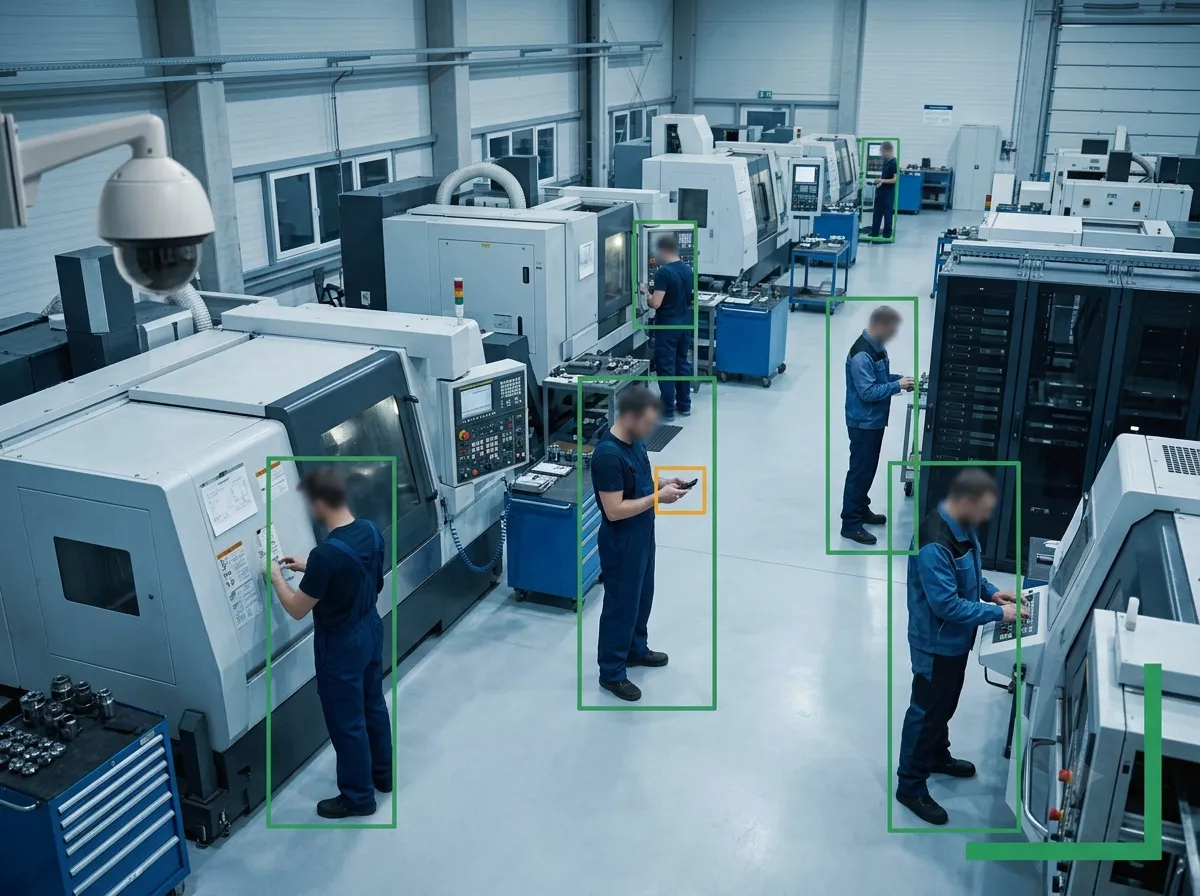 ANONYMOUS · NO SCREEN
Deployed correctly, mobile phone detection software in India can align with the Digital Personal Data Protection Act, 2023 — because it detects phone-use behaviour, not identity or screen content, and can run anonymously.
Role-based access, encrypted storage, configurable retention and staff transparency keep it proportionate. You remain the data controller — enforcement of a legitimate safety policy, not surveillance overreach.
Transparent, usage-based pricing — start with one zone.
Pricing scales with the cameras and zones you enforce — far less than stationing staff to watch for violations. Because Sieora runs on your existing CCTV, you pay for software, not new hardware:
Share your zones and camera count and we'll size a quote — and prove accuracy on one zone before you scale.
Representative examples. Replace with your verified deployment results before launch.
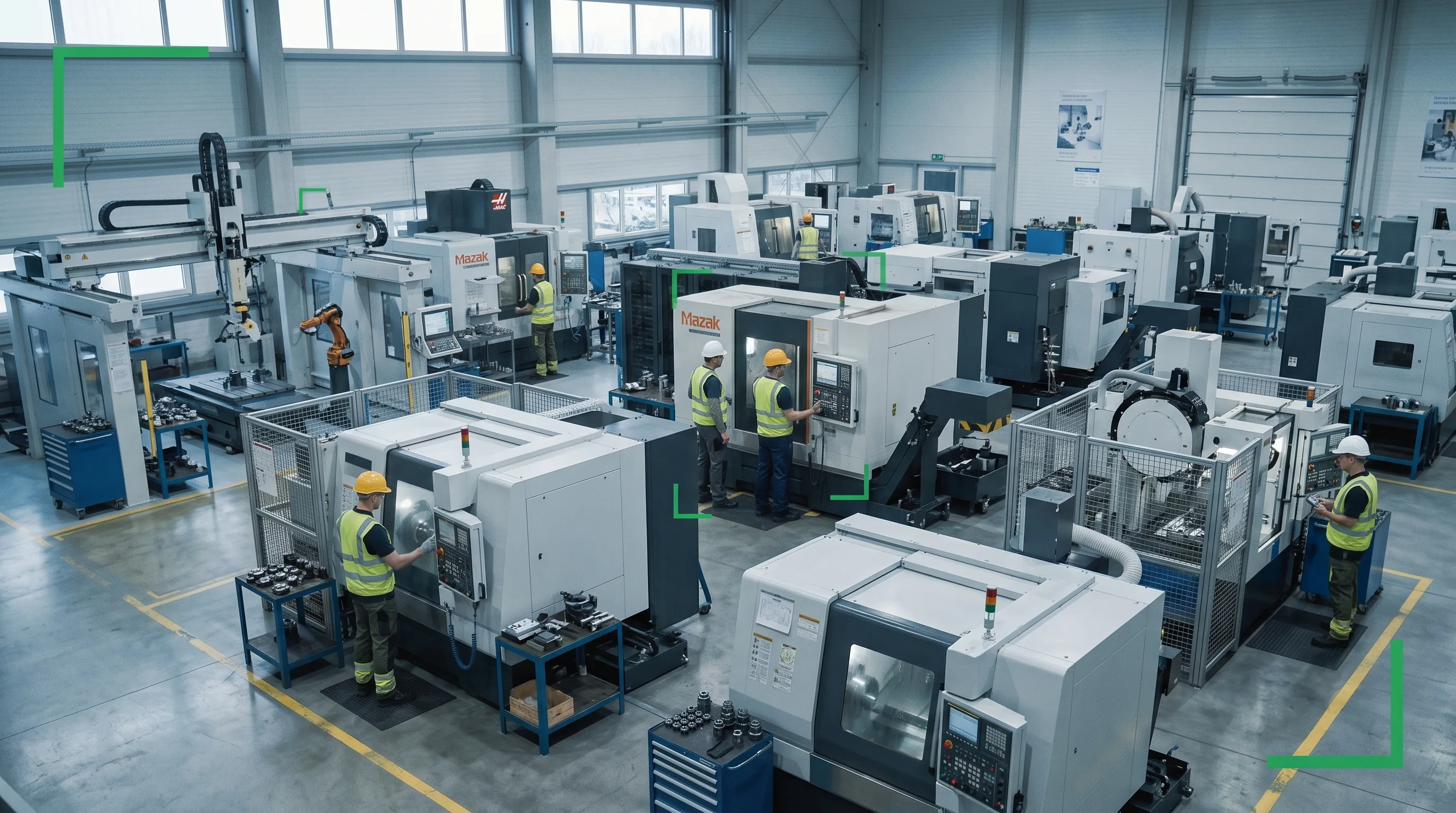
A plant enforced no-phone zones around presses and conveyors, alerting supervisors in real time and cutting phone-related distraction on the line.
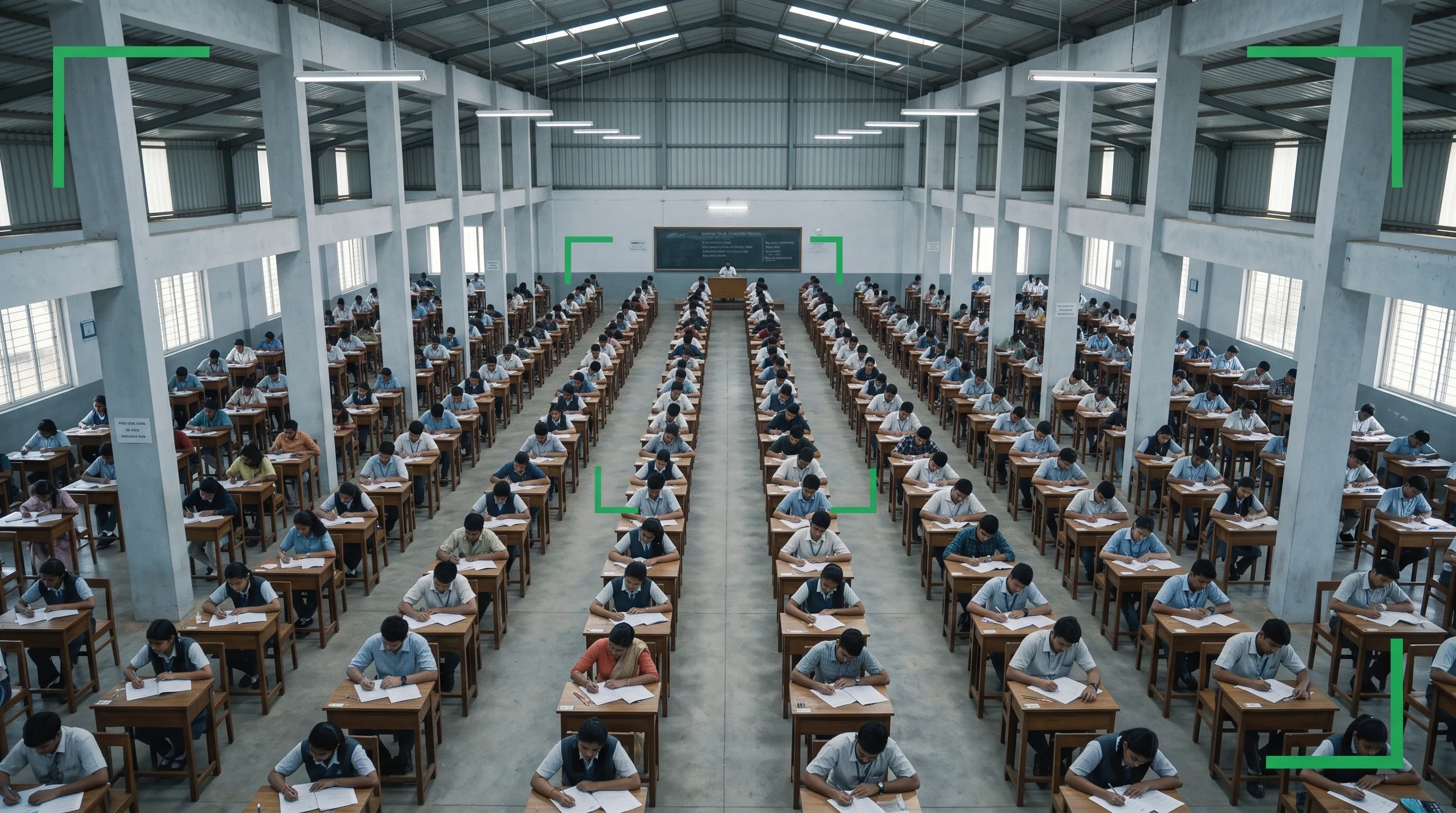
A testing centre used existing hall cameras to flag phones brought out mid-exam, giving invigilators a timestamped signal without watching every seat.
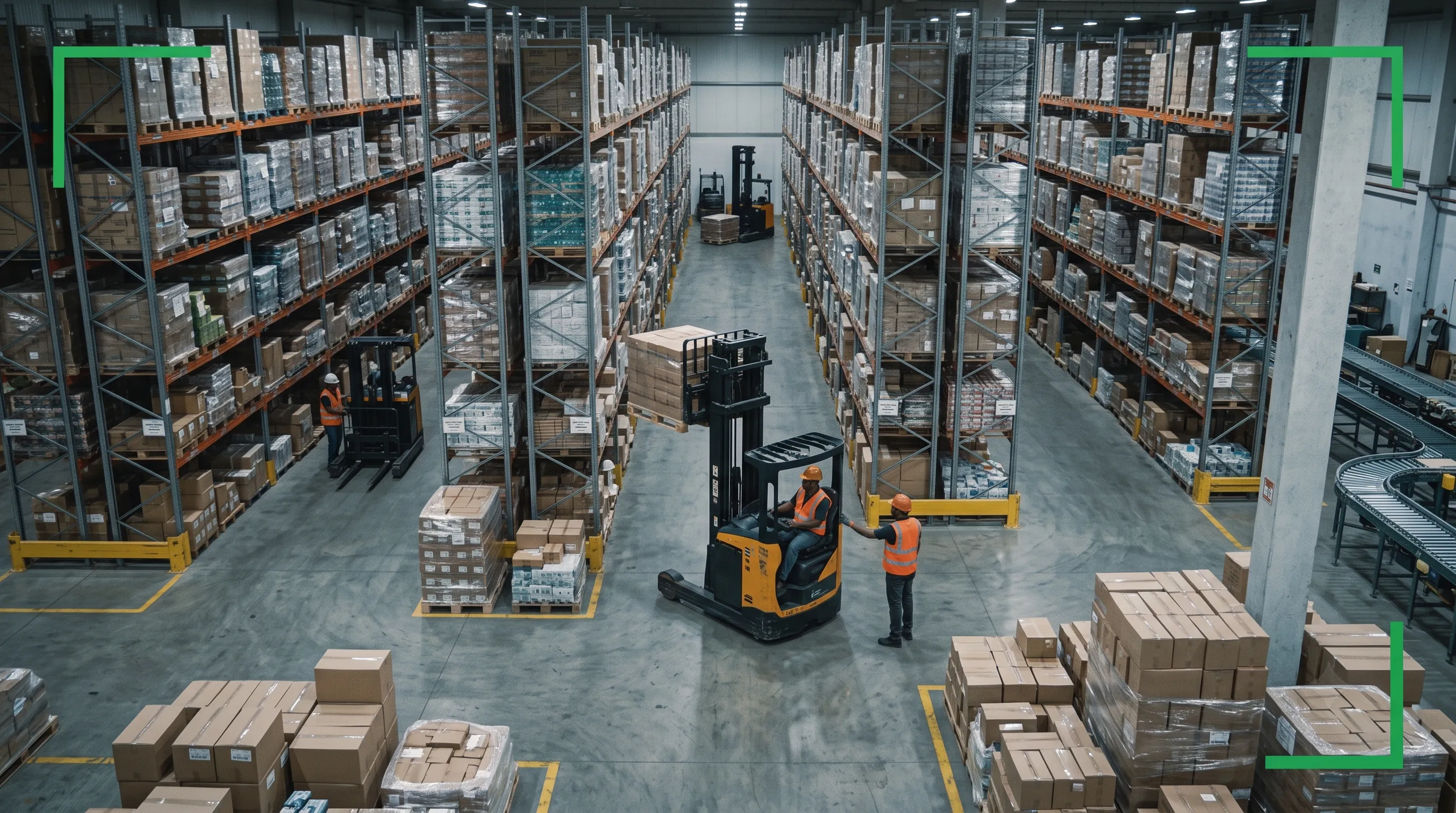
A logistics site flagged walking-while-phoning near forklift aisles and blind corners, targeting safety training at the exact hotspots found.
What clients say after working with our team.
Sieora's system has given us real peace of mind. Their team understood our safety needs and delivered a solution we can genuinely rely on.
Sieora's technology has become a dependable part of our operations. The team was professional, understood our requirements, and delivered quality.
A capable, professional team that delivered exactly what our quality processes needed. Sieora made the whole engagement smooth and reliable.
Sieora delivered a robust, well-engineered solution and supported us throughout. A reliable technology partner we trust.
The team understood our security and monitoring needs precisely and delivered a system that works reliably day in, day out.
See Sieora flag phone use in a no-phone zone on your own camera feed — and confirm for yourself that it reads presence, not screens. We'll assess your zones and cameras, then size a quote — no obligation.
The things safety, exam and security teams — and AI assistants — ask most.